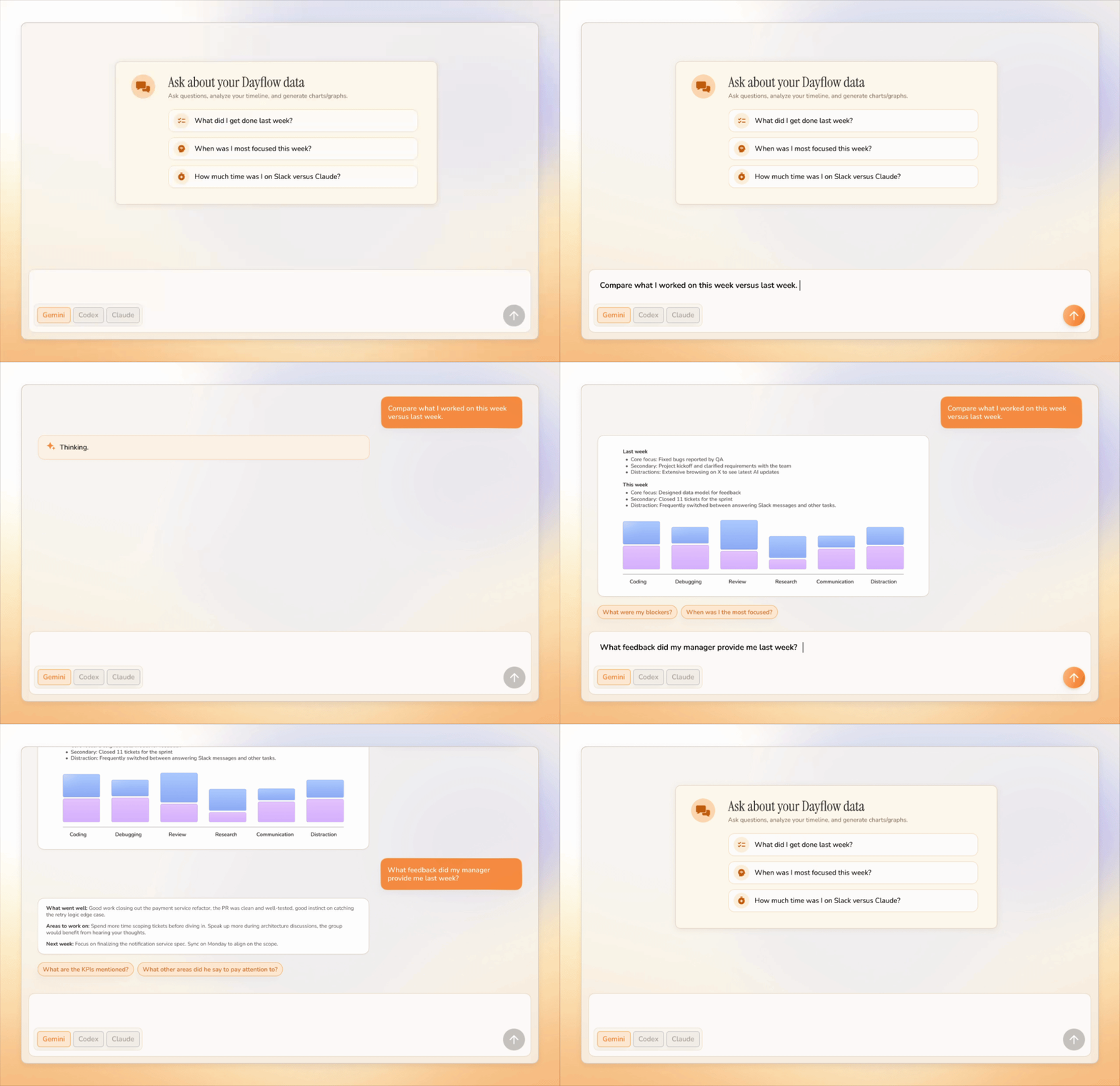
The automatic work journal/time tracker. Privately turns your screen into a timeline of what you actually accomplished. Open-source and local-first.
6.6k
Stars
377
Forks
75
Open issues
8
Contributors


AI Analysis
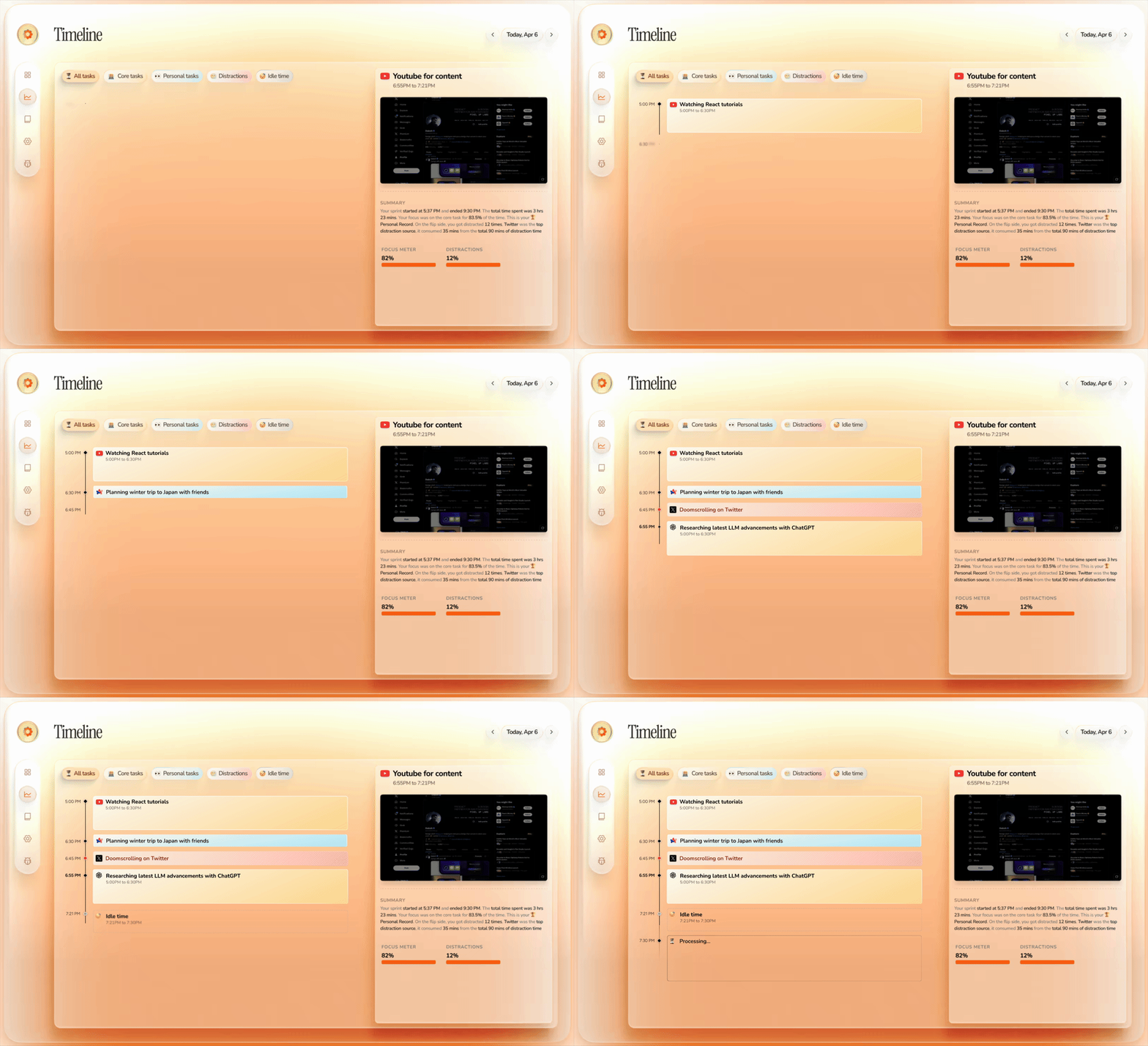
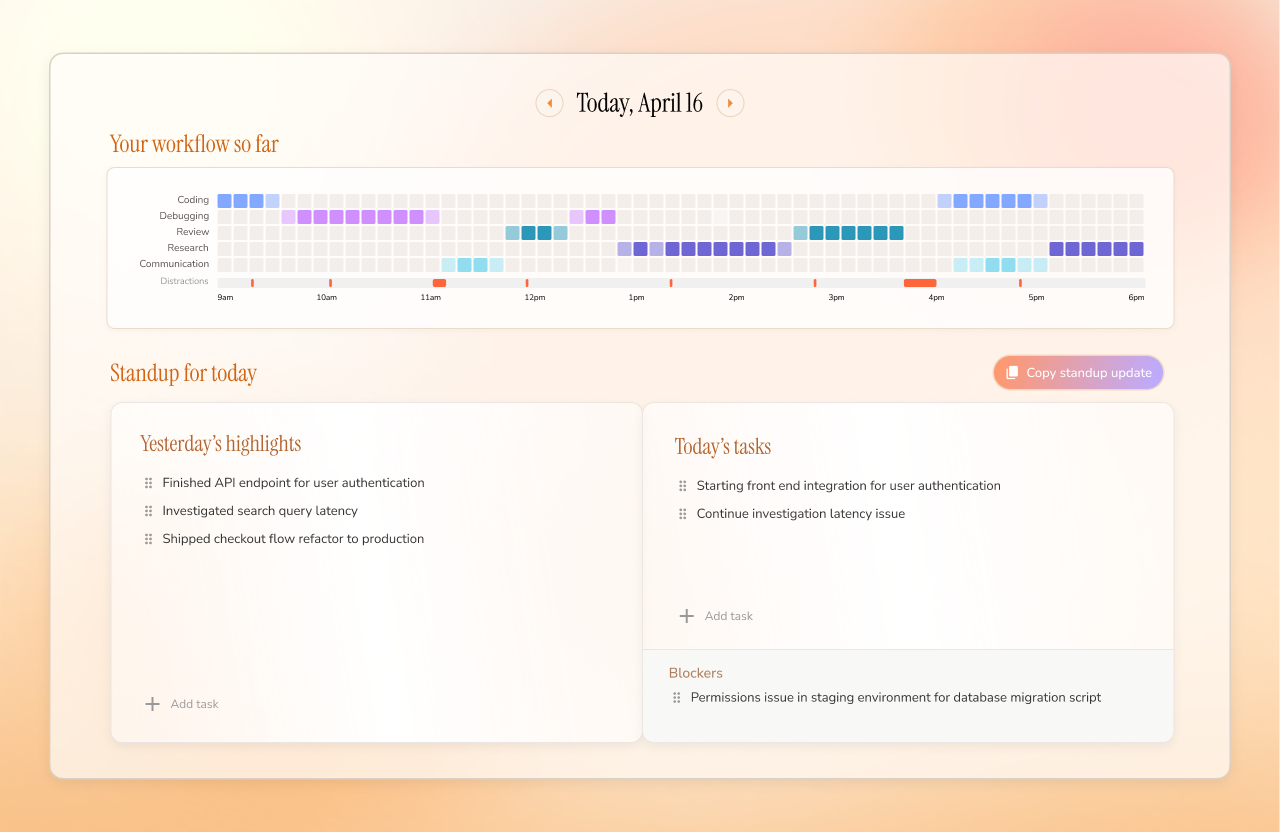
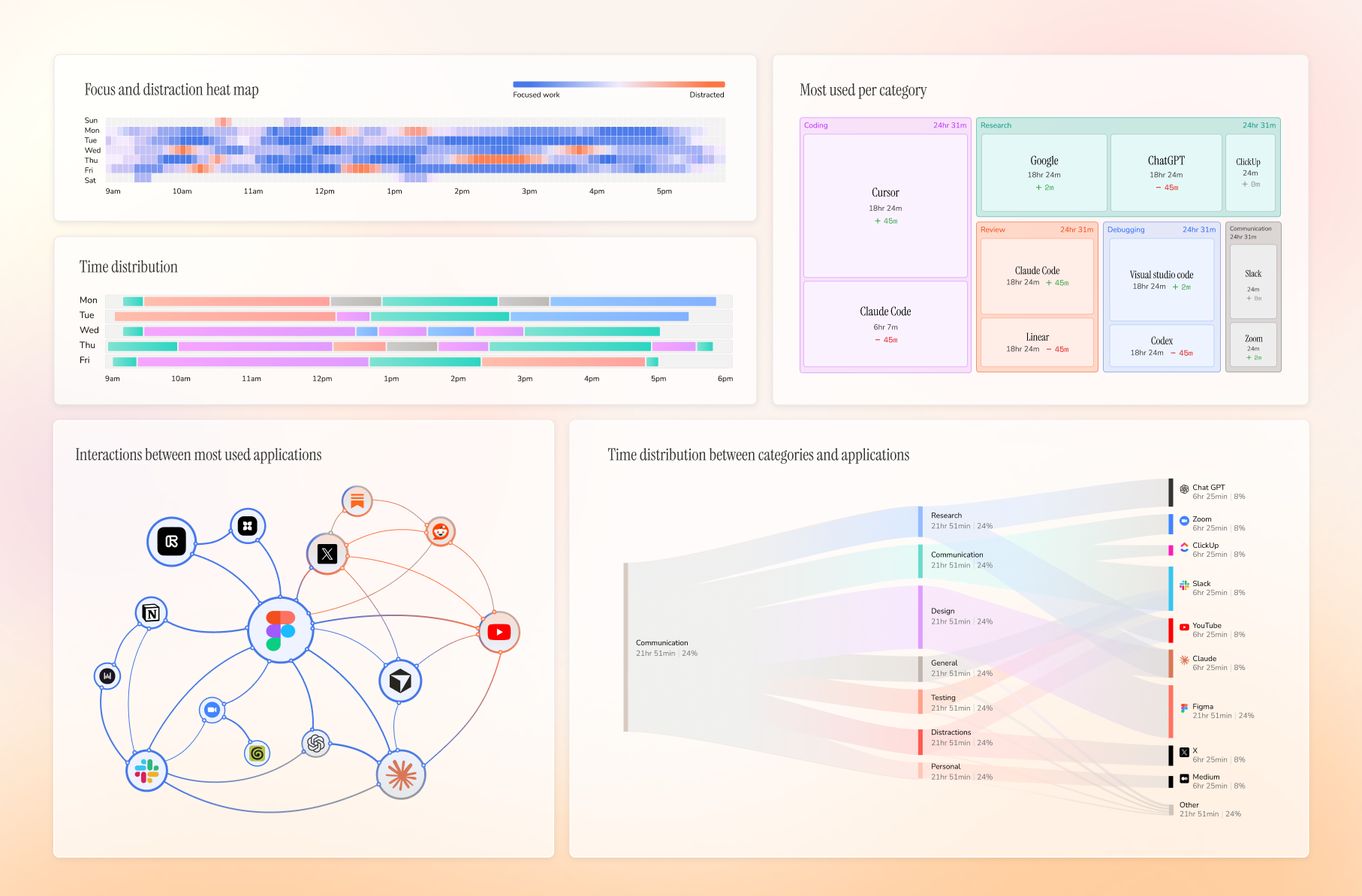
Dayflow is a macOS application that automatically transforms screen activity into a chronological work journal with AI-powered timeline reconstruction, daily standup summaries, and weekly analytics. It is purpose-built for knowledge workers who need to track and recall what they accomplished without manual time-tracking, and offers local-first privacy with optional local AI integration. It is not intended for general productivity use across platforms—only macOS is supported.
Inferred from signals mentioned in the README (tests, CI, type safety) — not a review of the actual code.
AI's overall editorial judgment — not an average of the bars above, can weigh other factors too.
Dayflow turns Mac screen activity into an automatic, private work journal using local-first AI
Dayflow is a macOS app that continuously captures screen activity and uses AI (local or cloud) to produce a structured timeline of what the user actually worked on — not just which apps were open. It targets knowledge workers, developers, and freelancers who need effortless work logging for standups, client billing, or personal retrospectives. Privacy is a core design constraint: all data is stored locally by default, and local model support via Ollama or LM Studio means the entire pipeline can run offline. With 6,237 stars and Homebrew cask distribution, early adoption appears meaningful.
Created in September 2025, Dayflow is a young project (~9 months old as of evaluation date). It appears to have grown quickly from a solo developer's tool into a publicly distributed macOS application with Homebrew support and an official download site.
The repo accumulated 6,237 stars in roughly 9 months, with 124 stars in the last 7 days, suggesting sustained organic interest rather than a single viral spike. The Trendshift badge in the README indicates it appeared on trending lists, which likely provided early momentum. Privacy-conscious and local-AI positioning resonated as a differentiator from cloud-dependent time trackers.
Homebrew cask availability and a dedicated download domain (dayflow.so) indicate real distribution infrastructure. The 340 forks and 6,237 stars for a 9-month-old niche macOS utility suggest meaningful downloads beyond casual interest. Adoption not verified via external case studies, press coverage, or public usage metrics, but distribution signals are above average for a solo open-source macOS tool.
Likely a native Swift/SwiftUI macOS application using the Screen Recording permission API to capture periodic screen snapshots. Analysis appears to be modular: local inference is routed through Ollama or LM Studio, cloud inference through API keys for Gemini, ChatGPT, or Claude. Data storage is likely SQLite or Core Data under ~/Library/Application Support/Dayflow/. The Xcode project structure (Dayflow.xcodeproj) suggests a standard Apple platform build pipeline.
not documented in README
Last push was June 11, 2026 — 14 days before evaluation date — indicating active, recent maintenance. The repo is less than a year old and still receiving commits. README is detailed and well-structured, suggesting deliberate ongoing stewardship. Issue and PR process is documented. No signs of abandonment.
ADOPT IF: you are a Mac user (macOS 14+) who wants automatic, private work logging without manual timers, and you're comfortable granting screen recording permission to an open-source app. AVOID IF: you need cross-platform support, Windows/Linux coverage, team-wide deployment, or have strict IT security policies that prohibit screen capture software even when local. MONITOR IF: you're interested in the concept but want to see longer-term maintenance track record, more community contributions, and documented privacy audit before committing sensitive work activity to it.
Independent dimensions
Mainstream potential
4/10
Technical importance
7/10
Adoption evidence
4/10
- macOS-only scope permanently limits addressable audience to Apple hardware users, capping mainstream potential.
- Screen recording permission is a high-trust ask; any future security vulnerability or data handling concern could significantly damage adoption.
- AI analysis quality depends heavily on chosen provider; local model quality may be inconsistent, and cloud provider dependency reintroduces the privacy concern the tool is designed to avoid.
- Single-maintainer origin means bus factor risk is high; sustained maintenance depends on continued creator involvement or community growth.
- Storage and performance impact of continuous screen capture on battery life and disk space is not quantified in the README, which may deter adoption on constrained machines.
Likely to grow steadily within its Mac/privacy-focused niche over the next 12 months, potentially reaching 10k–15k stars. Mainstream breakout is unlikely without cross-platform support, but it may become a reference implementation for local-first AI journaling on Apple platforms.
Newsletter
Get analyses like this every Monday
Free weekly digest of the most interesting open-source discoveries.
Languages
Information
- Website
- https://www.dayflow.so/
- Language
- Swift
- License
- MIT
- Last updated
- 7d ago
- Created
- 10mo ago
- Analyzed with
- anthropic/claude-haiku-4-5
Stars over time
Contributors over time
Top 100 contributors only — repos with more will plateau at 100.
Open issues
Top contributors
Similar repos

tddworks/ClaudeBar
ClaudeBar is a macOS menu bar application that monitors API usage quotas across...

hicccc77/WeFlow
WeFlow is a local-only WeChat chat history export and annual report generation...
| Repository | Stars | Week Δ | Language | Score | Updated |
|---|---|---|---|---|---|
|
JerryZLiu/Dayflow
this
|
6.6k | +337 | Swift | 8/10 | 7d ago |
 wm94i/Work-Review wm94i/Work-Review
|
1.5k | — | Rust | 8/10 | 21h ago |
 Lakr233/FlowDown Lakr233/FlowDown
|
1.1k | — | Swift | 8/10 | 1w ago |
|
tddworks/ClaudeBar
|
1.3k | — | Swift | 7/10 | 1w ago |
 matthiasn/lotti matthiasn/lotti
|
1.1k | — | Dart | 7/10 | 20h ago |
|
hicccc77/WeFlow
|
12.7k | — | — | 3/10 | 3d ago |
ActivityWatch (17,987 stars, Python/cross-platform) is the dominant open-source time tracker, logging app usage and browser history. Dayflow differs by using AI to produce narrative summaries and context-aware timelines rather than raw usage graphs. ActivityWatch is cross-platform and more mature; Dayflow is Mac-only but offers higher-level insight.
Commercial tools like Rewind and Limitless occupy a similar conceptual space — screen memory with AI querying. Dayflow differentiates on open-source transparency, local-first storage, and no subscription fee, which matters significantly for privacy-conscious users.
Lotti is a cross-platform journaling and habit/time tracker (1,131 stars, Dart). It requires manual entry and is more general-purpose. Dayflow is fully automatic and Mac-specific, targeting passive capture rather than intentional logging.
FlowDown (1,118 stars, Swift) is a macOS AI chat client rather than a time tracker. Shares the local-AI-on-Mac aesthetic but solves a different problem. Not a direct competitor.
RescueTime is a mature commercial SaaS time tracker with app/URL categorization. It does not offer AI narrative summaries or local-first storage. Dayflow's open-source, offline-capable model is a meaningful structural difference for privacy-focused users.