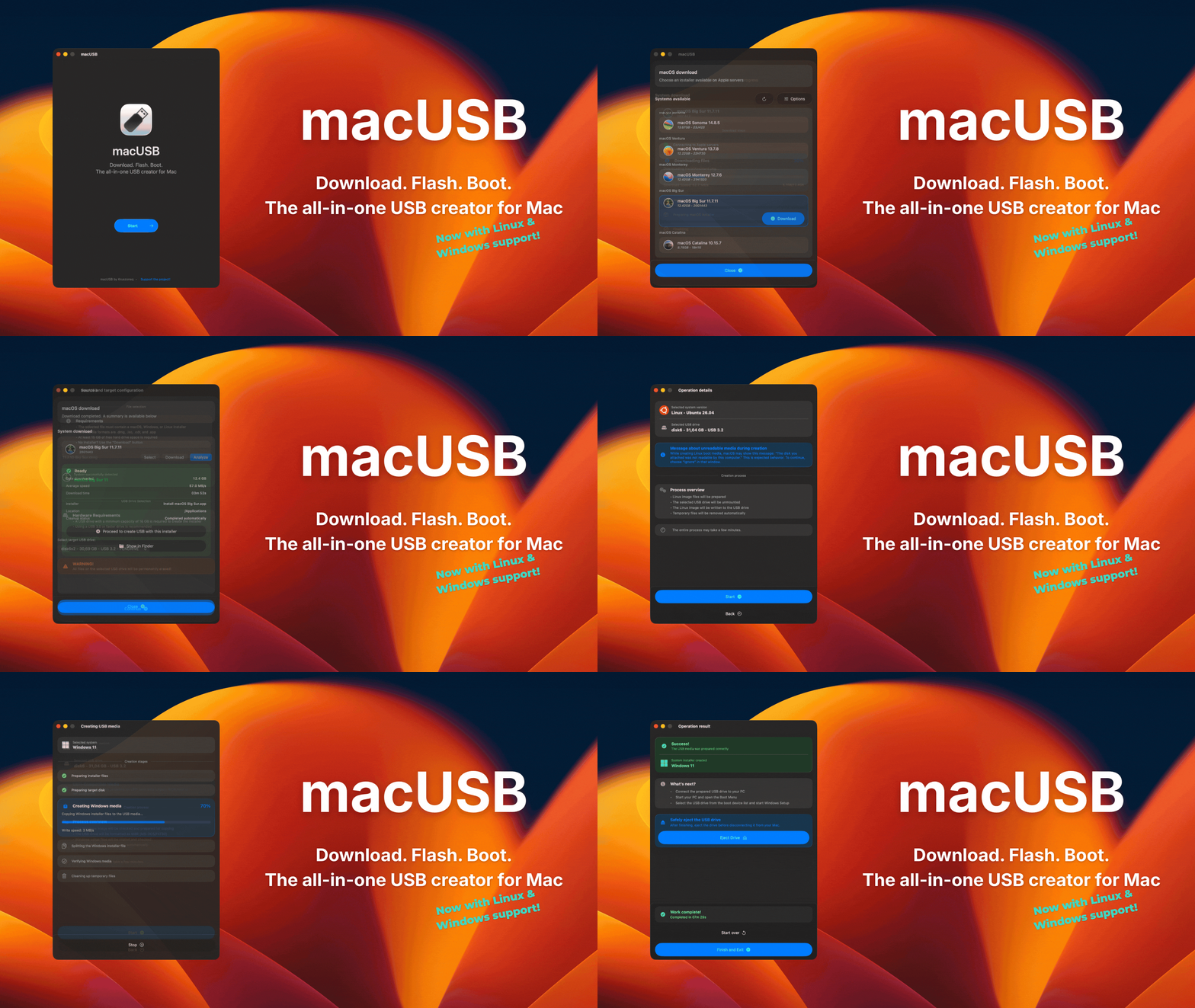
Download. Flash. Boot. The all-in-one USB creator for Mac
1.8k
Stars
89
Forks
0
Open issues
3
Contributors


AI Analysis
macUSB is a native Swift application for Mac that simplifies creating bootable USB media from macOS installers, Linux, and Windows images. It is specifically designed for Apple Silicon and Intel Mac users who need to create legacy macOS bootable media or install other operating systems, addressing a gap in tooling that became acute as Apple Silicon Macs became standard. It benefits Mac users unfamiliar with terminal workflows and developers needing an automated GUI for bootable media creation...
Inferred from signals mentioned in the README (tests, CI, type safety) — not a review of the actual code.
AI's overall editorial judgment — not an average of the bars above, can weigh other factors too.
macOS-native USB bootable media creator addressing legacy installer workflows on Apple Silicon
macUSB is a Swift-based GUI application for macOS that simplifies creation of bootable USB media from .dmg, .iso, .cdr, and .app files, or via built-in macOS downloader. It specifically targets Apple Silicon and Intel Mac users facing compatibility issues with legacy macOS installers (Catalina and older). The project emerged from practical troubleshooting of codesign and certificate validation failures, then expanded to support Linux and Windows media. Adoption appears concentrated in the macOS enthusiast and IT support communities; real-world production adoption remains unverified beyond anecdotal forum discussion.
Repository created December 2025; emerged from documented frustration with legacy macOS installer compatibility on Apple Silicon Macs. Expanded from single-use case tool to multi-platform bootable media creator based on user feedback, particularly from Reddit discussions. Six-month post-launch trajectory shows sustained incremental feature development.
Repository gained ~1,700 stars within 6 months, with 114 stars in the final week preceding analysis date (June 28, 2026). Growth pattern suggests steady word-of-mouth adoption in specialist communities rather than viral spike. Homebrew availability and GitHub Releases distribution channels indicate deliberate accessibility strategy. Recent activity (last push June 26, 2026) indicates active maintenance aligned with current date.
Adoption not verified. README references 'adoption grew' and 'feedback continued' via Reddit but provides no metrics, user counts, or production deployment examples. Homebrew availability suggests sufficient maturity for package management inclusion, but this indicates quality signal rather than adoption evidence. No organization endorsements, case studies, or production deployment documentation visible.
Swift-based GUI application for macOS; appears to wrap system-level disk utilities and codesign workflows. README indicates support for automatic media preparation, partition formatting, and checksum validation. Likely uses native macOS APIs for permission handling (Full Disk Access, Background execution). Architecture suggests single-platform focus (macOS host only) despite supporting multiple target OS images.
Not documented in README. No CI/CD pipeline, test framework, or validation methodology mentioned. Quality assurance approach not specified.
Repository shows recent activity (push on June 26, 2026, 2 days before analysis date). Six-month history shows regular updates; project is actively maintained rather than stagnant. Issue response patterns and release cadence not documented in truncated README, limiting assessment of maintenance responsiveness.
ADOPT IF: you run macOS (Intel or Apple Silicon), need to create bootable USB media from legacy macOS installers or modern Linux/Windows .iso images, value guided workflow over terminal commands, and are willing to test with a new single-developer project. AVOID IF: you need cross-platform USB creation, require production-grade SLA or support guarantees, depend on extensive documentation and community troubleshooting archives, or need multi-boot USB capabilities. MONITOR IF: you manage macOS labs or IT support operations and want to evaluate whether adoption evidence accumulates over next 6-12 months, or if the maintainer demonstrates response capacity to security/compatibility issues.
Independent dimensions
Mainstream potential
4/10
Technical importance
5/10
Adoption evidence
2/10
- Single-developer project with no documented succession or maintainability plan; dependency risk if maintainer becomes unavailable.
- Adoption not verified beyond forum anecdotes; unclear if real-world production deployment exists, limiting confidence in bug discovery and real-world reliability claims.
- Full Disk Access requirement and background execution permissions create elevated security surface; no documented security audit, threat model, or permission justification visible in README.
- macOS-only host platform limits addressable market; cannot serve Windows or Linux users creating bootable media for those OSes.
- Rapid feature expansion (legacy macOS → Linux → Windows support in 6 months) may indicate scope creep; unclear if core legacy macOS use case (stated origin) remains prioritized or receives ongoing compatibility maintenance.
If adoption accelerates beyond current verification threshold, macUSB may establish itself as standard macOS alternative to Disk Utility for guided bootable media workflows, particularly in IT support and enthusiast communities. More likely trajectory: slow steady adoption in niche, eventual dormancy or maintenance-mode stasis if single maintainer prioritizes other projects. Unlikely to challenge Ventoy/Rufus globally, but viable as macOS-specific alternative for users valuing simplicity over power-user features.
Newsletter
Get analyses like this every Monday
Free weekly digest of the most interesting open-source discoveries.
Languages
Information
- Language
- Swift
- License
- MIT
- Last updated
- 1w ago
- Created
- 7mo ago
- Analyzed with
- anthropic/claude-haiku-4-5
Stars over time
Contributors over time
Top 100 contributors only — repos with more will plateau at 100.
Open issues
No open issues — clean slate.
Open pull requests
No open pull requests.
Similar repos

LongQT-sea/macos-iso-builder
This project generates bootable macOS installer ISO and DMG images directly...

create-dmg/create-dmg
create-dmg is a shell script that automates the creation of customized macOS...
| Repository | Stars | Week Δ | Language | Score | Updated |
|---|---|---|---|---|---|
|
Kruszoneq/macUSB
this
|
1.8k | +51 | Swift | 8/10 | 1w ago |
|
LongQT-sea/macos-iso-builder
|
1.8k | — | Shell | 8/10 | 10h ago |
 sindresorhus/create-dmg sindresorhus/create-dmg
|
5.3k | — | JavaScript | 8/10 | 4mo ago |
|
create-dmg/create-dmg
|
2.6k | — | Shell | 7/10 | 1w ago |
 ventoy/Ventoy ventoy/Ventoy
|
77.9k | — | C | 9/10 | 2w ago |
 ninxsoft/Mist ninxsoft/Mist
|
5k | — | Swift | 8/10 | 3d ago |
Ventoy is cross-platform, supports 600+ image types, and dominates multi-boot workflows. macUSB is macOS-only, single-boot focused, with built-in OS downloader. Ventoy scales to advanced users; macUSB targets simplified guided workflows for legacy compatibility.
Rufus is Windows-only, mature ecosystem with decade of adoption. macUSB fills equivalent macOS niche but from zero maturity baseline. Rufus has broader OS support; macUSB offers macOS-native experience and Apple Silicon legacy compatibility handling.
create-dmg automates DMG creation from directories; macUSB consumes existing images and adds USB writing. Different workflow positions in same ecosystem; create-dmg is developer-focused build tool, macUSB is end-user GUI.
macos-iso-builder is scriptable shell-based ISO generation for legacy macOS. macUSB is GUI wrapper supporting multiple formats and download integration. Similar adoption scale; complementary rather than competitive positioning.
macOS Disk Utility offers native USB burning for limited image types with minimal guidance. macUSB layers compatibility handling, downloader, checksum validation, and guided workflow over same core APIs. Most direct functional alternative.
 macUSB