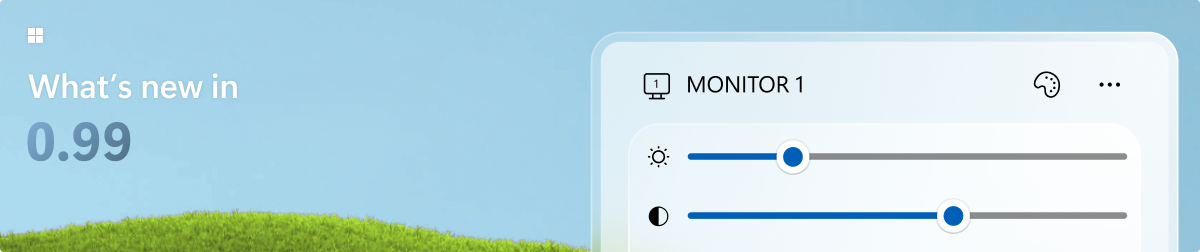
Microsoft PowerToys is a collection of utilities that supercharge productivity and customization on Windows
136.3k
Stars
8.4k
Forks
7.3k
Open issues
100+
Contributors


AI Analysis
Microsoft PowerToys is an official Microsoft-backed collection of over 30 utilities for Windows power users, enabling productivity enhancements such as window layout management (FancyZones), keyboard remapping, a color picker, file renaming, and a command palette. It serves Windows desktop users who want deeper OS customization and workflow automation without third-party commercial tools. It is specifically for Windows 10/11 desktop users and is not relevant to developers on macOS, Linux, or ...
Inferred from signals mentioned in the README (tests, CI, type safety) — not a review of the actual code.
AI's overall editorial judgment — not an average of the bars above, can weigh other factors too.
Microsoft PowerToys: 30+ free Windows productivity utilities, actively maintained by Microsoft itself
PowerToys is a Microsoft-owned, MIT-licensed collection of over 30 utilities for Windows power users. It addresses the gap between stock Windows functionality and what developers, IT professionals, and productivity-focused users actually need — covering window management (FancyZones), keyboard remapping, bulk file renaming, a launcher (PowerToys Run), color picker, text extraction via OCR, and much more. With 135K+ GitHub stars and direct Microsoft engineering involvement, it occupies a rare position: a free, open-source project with first-party vendor backing and mainstream Windows user awareness.
Originally inspired by the Windows 95/NT-era PowerToys accessories, the modern version launched on GitHub in May 2019. Microsoft transitioned it from a side experiment to a sustained engineering investment, with a dedicated team shipping regular releases since 2020.
Growth was driven by a combination of Reddit/HackerNews organic discovery, Microsoft DevBlogs, and word-of-mouth among developers discovering FancyZones and PowerToys Run. Coverage in mainstream tech outlets and inclusion in Microsoft's own documentation and Windows recommendations accelerated adoption. 678 stars in 7 days as of mid-2026 indicates continued healthy organic growth despite the project being over six years old.
Adoption is well-documented and large-scale. Microsoft reports millions of active installs via Windows Package Manager (winget) telemetry. The project is prominently featured in Microsoft's own Windows documentation, recommended in enterprise IT circles, and extensively discussed across developer communities (Reddit r/windows, HackerNews, Stack Overflow). Download counts on GitHub releases consistently reach hundreds of thousands per version.
Appears to be a modular Windows desktop application suite primarily written in C and C#, with each utility likely implemented as an independent module loaded by a central runner process. The repository language is listed as C, though companion tooling is likely C++/C#/WinUI given the Windows-native nature. Based on README, utilities are independently toggleable, suggesting a plugin-like architecture.
Not documented in README. Given Microsoft's engineering standards and the project's maturity, automated testing is likely present in the repository, but coverage depth cannot be confirmed from available metadata.
Extremely strong. Last push was 2026-06-20 — the same day as the analysis date — indicating active daily development. Microsoft maintains a dedicated team. The project has shipped dozens of releases since 2019 and continues adding new utilities (e.g., Command Palette, PowerDisplay appear to be recent additions based on README listing).
ADOPT IF: you are a Windows user who wants to meaningfully extend OS functionality without cost or scripting overhead — FancyZones, PowerToys Run, and Keyboard Manager alone justify the install for most developers and power users. AVOID IF: you need deep enterprise policy control, are on non-Windows platforms, or require contractual SLA-backed support — MIT license and open-source governance mean no formal enterprise support contract. MONITOR IF: you rely on specific utilities that overlap with native Windows features Microsoft may eventually absorb (e.g., Snap Layouts absorbed ideas from FancyZones) — individual utilities may be deprecated if Windows natively ships equivalent functionality.
Independent dimensions
Mainstream potential
8/10
Technical importance
7/10
Adoption evidence
9/10
- Microsoft could discontinue or deprioritize the project if business priorities shift, as has happened with other Microsoft open-source efforts — though the current investment level makes this unlikely in the near term.
- Individual utilities risk obsolescence as Windows 11 and Windows 12 absorb similar functionality natively (Snap Layouts is the historical precedent).
- Running 30+ background utilities introduces potential system resource overhead and occasional compatibility issues with Windows updates, which historically has caused temporary regressions.
- The modular architecture may create inconsistent UX polish across utilities, as different tools appear to have been built by different teams with varying levels of fit and finish.
- Enterprise environments with strict AppLocker or application control policies may struggle to deploy or maintain PowerToys at scale, as it is distributed as a user-installable application rather than an enterprise-managed package.
PowerToys will likely continue growing steadily and remain a permanent fixture of the Windows developer ecosystem. Utility count will expand, and Microsoft may deepen AI integration (Advanced Paste already hints at this direction). Expect continued slow commoditization of individual tools into Windows itself over multi-year cycles.
Newsletter
Get analyses like this every Monday
Free weekly digest of the most interesting open-source discoveries.
Languages
Information
- Language
- C
- License
- MIT
- Last updated
- 4h ago
- Created
- 88mo ago
- Analyzed with
- anthropic/claude-sonnet-4-6
Stars over time
Contributors over time
Top 100 contributors only — repos with more will plateau at 100.
Open issues
Top contributors
Similar repos

ZToolsCenter/ZTools
ZTools is an open-source application launcher and plugin platform for macOS and...
| Repository | Stars | Week Δ | Language | Score | Updated |
|---|---|---|---|---|---|
|
microsoft/PowerToys
this
|
136.3k | +304 | C | 9/10 | 4h ago |
 DevToys-app/DevToys DevToys-app/DevToys
|
31.8k | — | C# | 8/10 | 5mo ago |
 psygreg/linuxtoys psygreg/linuxtoys
|
1.3k | — | Python | 7/10 | 11h ago |
 ChrisTitusTech/winutil ChrisTitusTech/winutil
|
57.5k | — | PowerShell | 8/10 | 18h ago |
|
ZToolsCenter/ZTools
|
3.2k | — | TypeScript | 8/10 | 13h ago |
 BeyondDimension/SteamTools BeyondDimension/SteamTools
|
26.1k | — | C# | 7/10 | 4mo ago |
winutil focuses on Windows debloating, tweaking, and software installation via PowerShell — complementary rather than competitive. PowerToys targets productivity enhancement rather than system configuration or cleanup. Many users run both.
DevToys targets developer-specific utilities (encoding, formatting, JSON tools). PowerToys is broader in scope and targets all Windows power users, not just developers. Minimal overlap in actual functionality.
AHK can replicate individual PowerToys features like keyboard remapping but requires scripting knowledge. PowerToys provides a GUI-driven, zero-code alternative for the same outcomes, trading flexibility for accessibility.
Commercial window management tools offer more advanced multi-monitor workflows than FancyZones, but at a cost. PowerToys wins on price and integration; loses on depth for heavy multi-monitor power users.
ThisIsWin11 focuses on Windows 11 customization and privacy tweaks — a different problem space. Star count gap (5K vs 135K) reflects PowerToys' substantially broader audience and use case coverage.
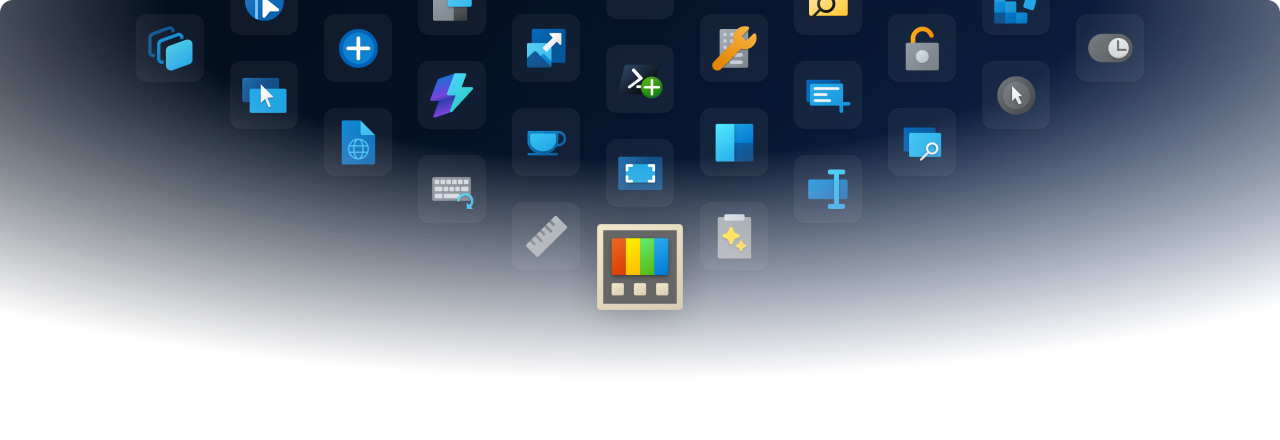
 Advanced Paste
 Always on Top
 Awake
Awake Color Picker
 Command Not Found
 Command Palette
 Crop And Lock
 Environment Variables
 FancyZones
 File Explorer Add-ons
 File Locksmith
 Grab And Move
 Hosts File Editor
 Image Resizer
 Keyboard Manager
 Light Switch
 Mouse Utilities
 Mouse Without Borders
 New+
New+ Peek
Peek PowerDisplay
 PowerRename
 PowerToys Run
 Quick Accent
 Registry Preview
 Screen Ruler
 Shortcut Guide
 Text Extractor
 Workspaces
 ZoomIt