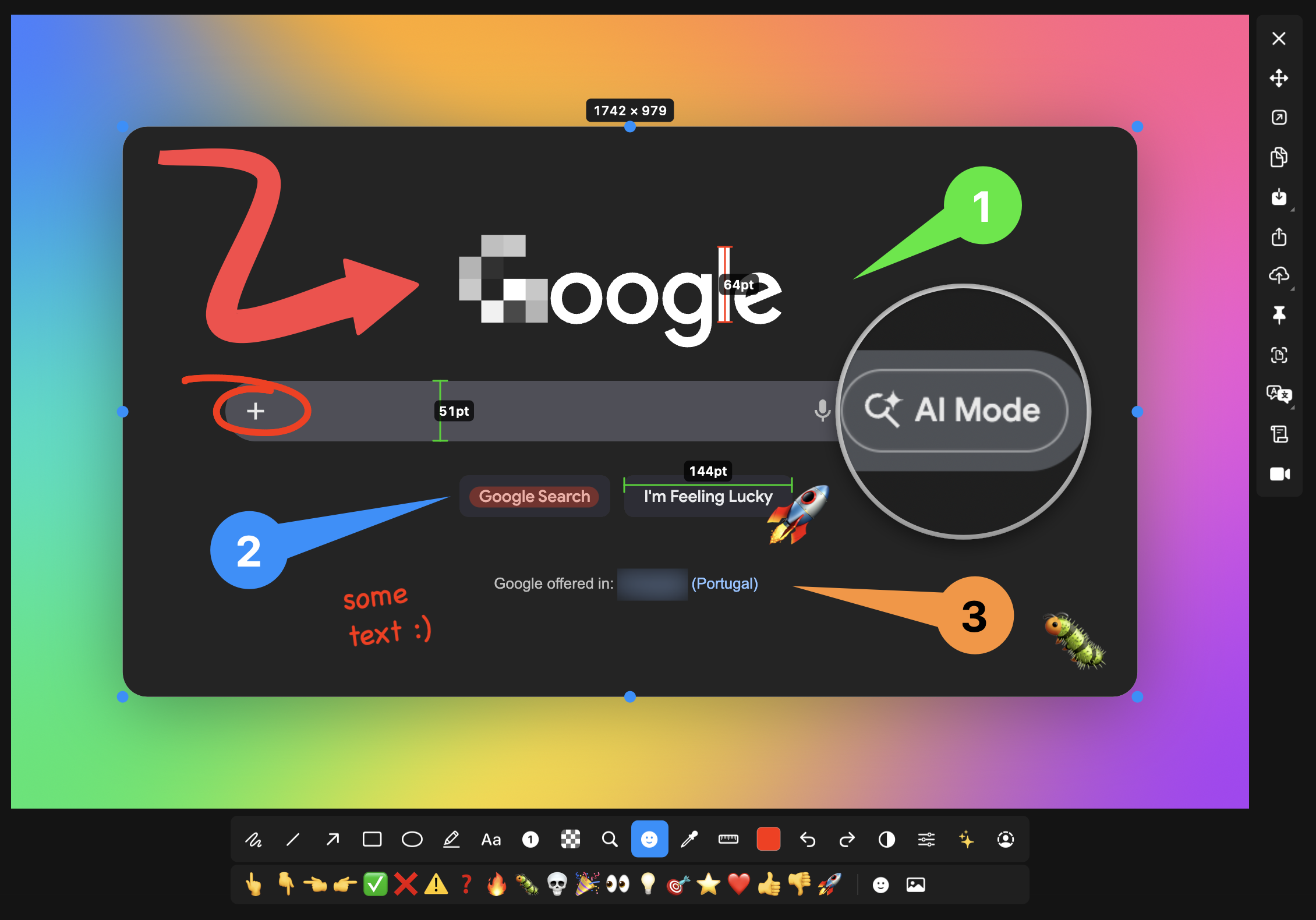
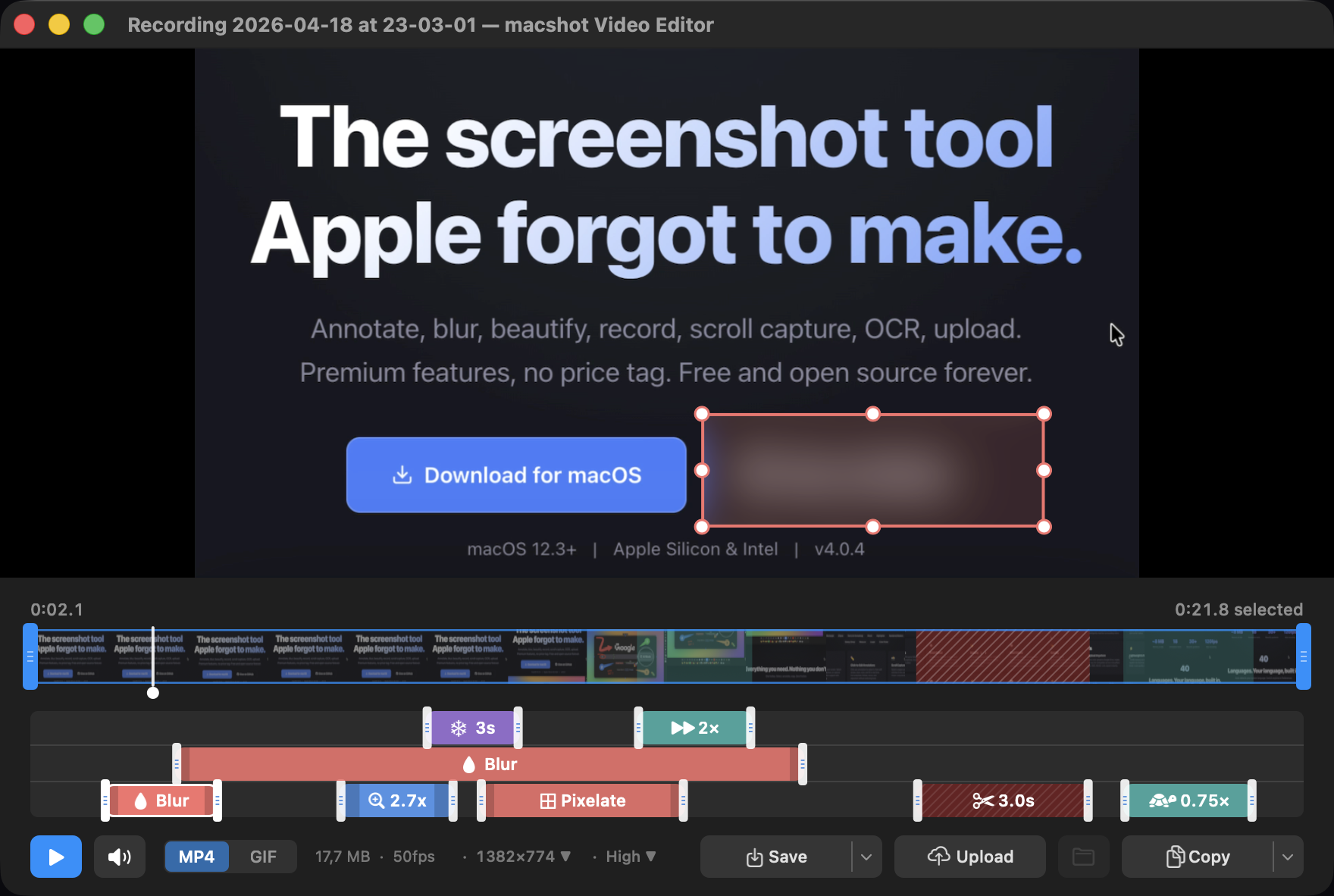
Feature-packed native macOS screenshot & recording tool: annotate, auto-redact PII, record GIFs, OCR + translate, scroll capture, beautify, and more. No Electron, no subscription.
2.5k
Stars
134
Forks
68
Open issues
8
Contributors


AI Analysis
macshot is a native macOS screenshot and screen recording application with 19+ annotation tools, built-in video editing, OCR, PII redaction, and upload capabilities. It serves macOS users who need a lightweight, feature-rich alternative to built-in tools or web-based solutions, targeting both casual users and professionals who value privacy and native performance.
Inferred from signals mentioned in the README (tests, CI, type safety) — not a review of the actual code.
AI's overall editorial judgment — not an average of the bars above, can weigh other factors too.
Native macOS screenshot tool with video editing, OCR, and PII redaction—three months old, gaining traction
macshot is a Swift-native screenshot and screen recording tool for macOS, launched March 2026, that bundles annotation, video editing, OCR, auto-redact PII, scroll capture, and cloud upload in a single menu-bar app. Built as a GPL-3.0 alternative to closed-source tools, it gained 2,269 stars and 110 stars in the last week as of late June 2026. Adoption remains unverified beyond GitHub visibility; it targets macOS power users and developers who want local-first, subscription-free capture workflows.
Created March 2026 by sw33tLie, macshot emerged during a period of renewed interest in native screenshot tools on macOS—competing with Electron-based alternatives and established paid tools like CleanMyMac or ScreenFlow. The GPL-3.0 license and feature density suggest a response to feature gaps and subscription fatigue in the category.
Rapid early adoption: 2,269 stars in ~3.5 months, 110 stars in the last 7 days (as of 2026-06-29), and availability on Homebrew. Growth rate is steep but typical for new tools with broad appeal that land on tech news sites (Hacker News, Product Hunt patterns). Recent push date (2026-06-25) confirms active maintenance. Growth has likely plateaued from initial launch momentum—trajectory from here depends on bug fixes, feature stability, and word-of-mouth retention.
Adoption not verified. GitHub stars and Homebrew availability indicate interest but not real-world production use. No case studies, testimonial links, community forum activity, or metrics on daily active users are documented. Early adopter visibility likely exists but cannot be quantified from available data.
Likely built with Swift and AppKit (native macOS frameworks, not Electron or web-based). README describes menu-bar integration, system audio capture, and Vision framework use for scroll stitching. Appears modular with separate concerns: capture, annotation, video editing, OCR, and upload. No architectural documentation or source-level details visible in README.
Not documented in README. No mention of unit tests, CI/CD pipeline, or test methodology. Inference of test rigor is not possible from available metadata.
Last push 2026-06-25 (4 days before analysis date); project is actively maintained. Changelog exists and was referenced in README, suggesting versioning discipline. No evidence of issue backlog size, response time to issues, or release cadence beyond the March–June creation window. Early-stage project maintenance signals are typically strong; sustainability past 12 months is uncertain.
ADOPT IF: you are a macOS user seeking a local-first, free screenshot/recording tool with annotation, video editing, and OCR; you value native performance and privacy (no cloud dependency); and you are comfortable with early-stage software and contributing bug reports. AVOID IF: you depend on production-critical screen recording (no known uptime SLA or bug-fix guarantees), need cross-platform support, require extensive third-party integrations, or prefer mature, battle-tested alternatives with long track records. MONITOR IF: you use screenshots/recordings at scale and want to evaluate macshot's stability and feature consistency over the next 6–12 months before full migration.
Independent dimensions
Mainstream potential
4/10
Technical importance
6/10
Adoption evidence
2/10
- Early-stage codebase: launched March 2026; no long-term stability data. Likely to encounter edge-case bugs or performance issues in video encoding, OCR, or scroll capture under stress.
- Adoption not verified: GitHub stars alone do not confirm real-world use. May fail to retain users if initial feature hype does not translate to reliable daily-driver experience.
- Single-maintainer risk: no evidence of team or community contributors in README. Burnout or loss of interest could stall development; GPL-3.0 fork protection is limited.
- macOS-only scope: locked to one platform and OS version fragmentation (Monterey, Ventura, Sonoma); future macOS API changes could break functionality.
- Feature creep complexity: 19+ annotation tools, video editor, OCR, PII redaction, scroll capture, and multi-language support in <4 months is ambitious scope. May introduce performance bottlenecks or reduce UX polish.
macshot will likely stabilize and consolidate its user base over the next 6 months, with growth plateauing as initial adoption wave settles. If video editor reliability and OCR accuracy meet user expectations, it could retain a loyal macOS subset. If major bugs surface or maintenance lapses, adoption will slow and users will drift to established competitors. Mainstream dominance (competing with ScreenFlow/Gyroflow) is unlikely unless funding or team expansion occurs.
Newsletter
Get analyses like this every Monday
Free weekly digest of the most interesting open-source discoveries.
Languages
Information
- Website
- https://macshot.io
- Language
- Swift
- License
- GPL-3.0
- Last updated
- 15h ago
- Created
- 4mo ago
- Analyzed with
- anthropic/claude-haiku-4-5
Stars over time
Contributors over time
Top 100 contributors only — repos with more will plateau at 100.
Open issues
Documentation for Macshot Offline?
Copy to clipboard while active capture with set shortcut "Space" doesnt work anymore
external monitor: windows are up
Feature Request: Image Resize in Editor or on Export
Feature Request: Allow saving presets of image settings
Similar repos

KartikLabhshetwar/better-shot
BetterShot is a native macOS screenshot and screen recording application...

jsattler/BetterCapture
BetterCapture is a free, native macOS screen recorder built with SwiftUI that...
| Repository | Stars | Week Δ | Language | Score | Updated |
|---|---|---|---|---|---|
|
sw33tLie/macshot
this
|
2.5k | +153 | Swift | 8/10 | 15h ago |
|
KartikLabhshetwar/better-shot
|
2.1k | — | Swift | 8/10 | 1mo ago |
 duongductrong/Snapzy duongductrong/Snapzy
|
2k | — | Swift | 7/10 | 22h ago |
|
jsattler/BetterCapture
|
1.5k | — | Swift | 8/10 | 2w ago |
 ksnip/ksnip ksnip/ksnip
|
3.3k | — | C++ | 7/10 | 7d ago |
 schappim/macOCR schappim/macOCR
|
2.4k | — | Swift | 7/10 | 3mo ago |
Higher star count; cross-platform (Linux, Windows, macOS); C++ codebase. macshot is macOS-only, Swift-native, with tighter OS integration (menu bar, native audio). ksnip is more mature (longer history) and broader in scope.
Similar star count and language. Both Swift/macOS-focused. macshot claims more features (video editor, OCR, PII redaction); README comparison not possible without inspecting Snapzy's feature set directly.
Lower star count; also Swift/macOS. macshot appears more feature-rich based on README depth; adoption trajectory of BetterCapture over time would indicate if macshot is catching up or plateau-ing.
Established, subscription-based tool. macshot offers free, open-source alternative with comparable recording + editing. Market dynamics favor free tier, but brand loyalty and polish may keep ScreenFlow users.
Similar star count and ecosystem. macshot bundles OCR as one feature; macOCR is OCR-focused specialist. Different positioning—macshot is generalist, macOCR is vertical.