zhongyang219/TrafficMonitor
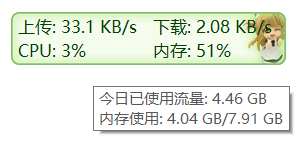
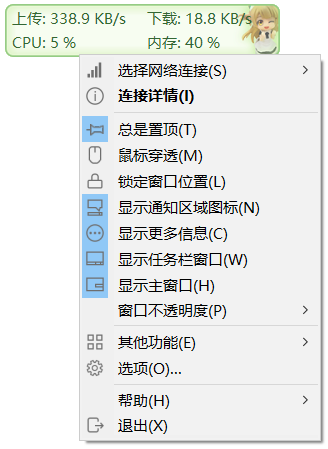
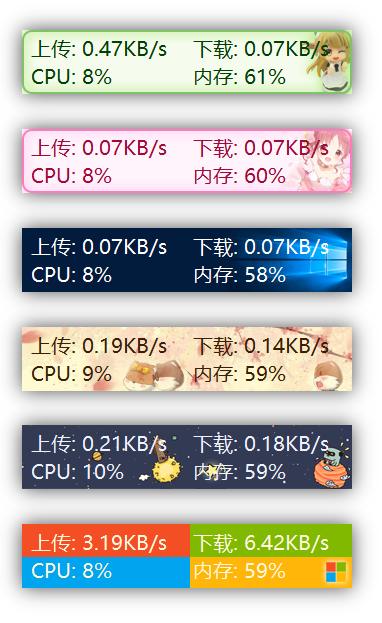
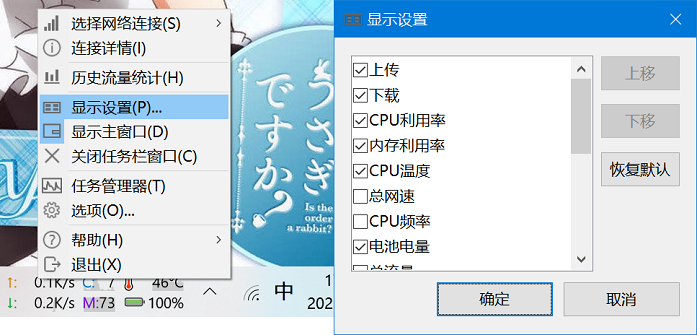
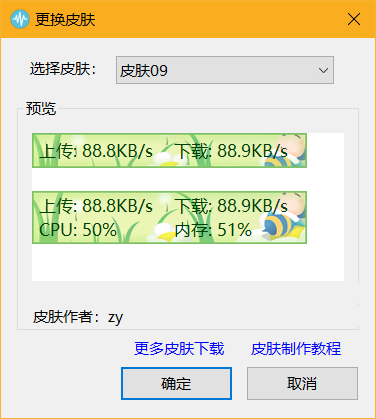
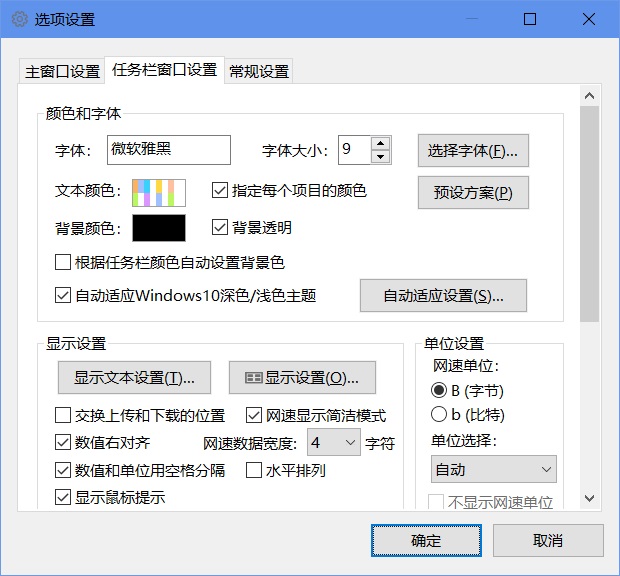
C++ No license Productivity License not recognized by GitHub Single maintainer risk这是一个用于显示当前网速、CPU及内存利用率的桌面悬浮窗软件,并支持任务栏显示,支持更换皮肤。
45.2k
Stars
3.7k
Forks
1.3k
Open issues
30
Contributors


AI Analysis
TrafficMonitor is a Windows desktop widget that displays real-time network speed, CPU, and memory usage, with optional taskbar integration and customizable skins. It is a specialized system monitoring tool for Windows users who need continuous visibility into network and hardware performance metrics, not suitable for macOS, Linux, or users seeking cross-platform solutions.
Inferred from signals mentioned in the README (tests, CI, type safety) — not a review of the actual code.
AI's overall editorial judgment — not an average of the bars above, can weigh other factors too.
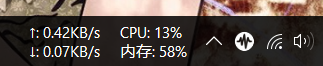
Windows desktop floating monitor showing network speed, CPU, and memory usage in the taskbar
TrafficMonitor is a Windows-only desktop utility that displays real-time network speed, CPU utilization, and memory usage in a floating overlay window or embedded in the taskbar. It targets everyday Windows users — particularly in China — who want lightweight, always-visible system stats without opening a full dashboard. With nearly 45,000 GitHub stars, a plugin system, skin customization, and hardware monitoring via LibreHardwareMonitor, it has evolved well beyond a minimal widget into a reasonably featured system tray utility.
Created in July 2017, TrafficMonitor started as a simple floating network speed display. Over roughly nine years it added taskbar embedding, skinning, hardware temperature monitoring (later migrated to a plugin), GPU/disk stats, and a plugin API, reflecting iterative growth driven largely by Chinese-speaking user demand.
Growth was driven primarily by organic word-of-mouth within Chinese developer and enthusiast communities, amplified by Gitee mirroring for users with slow GitHub access, and by HelloGitHub features. The star count of ~45k is unusually high for a Windows-only desktop utility, suggesting strong grassroots adoption in China. Weekly star gains (~132/week as of June 2026) indicate the project remains visible and actively discovered, though growth has likely plateaued relative to earlier peaks.
No enterprise or organizational deployment evidence is documented. However, the ~45k stars, a Gitee mirror with stated high traffic, Baidu Pan download mirror, and consistent weekly star gains strongly suggest widespread personal/desktop use, predominantly among Chinese Windows users. Adoption at scale in a consumer desktop context appears real, though it cannot be quantified precisely from available metadata.
Likely a native Win32/MFC C++ application based on the language, Windows-only scope, and need for administrator privileges in the standard edition. Appears to use a plugin DLL system (plugins directory, plugin management UI) for extensibility. Hardware monitoring delegates to the LibreHardwareMonitor open-source library. Two build variants (Standard and Lite) suggest conditional compilation or modular linking.
not documented in README
Last push was April 6, 2026 — approximately 2.5 months before the evaluation date — indicating active maintenance. The README documents recent version changes (1.85, 1.86) with meaningful feature additions and a clear deprecation path (temperature monitoring moved to plugin). GitHub Actions CI for releases is configured. The project appears actively maintained, not merely archived.
ADOPT IF: you are a Windows user who wants an unobtrusive, always-visible network speed and CPU/memory display in your taskbar or as a floating widget, especially if you prefer a mature tool with skinning and plugin extensibility. AVOID IF: you need cross-platform support, a terminal-based workflow, deep system diagnostics beyond surface-level stats, or you are uncomfortable with the admin privilege requirement of the standard edition. MONITOR IF: you are evaluating the plugin ecosystem for extending system monitoring on Windows desktops, as the plugin API is still relatively young and third-party plugin availability is unclear.
Independent dimensions
Mainstream potential
3/10
Technical importance
4/10
Adoption evidence
7/10
- Windows-only scope permanently caps the addressable audience and limits ecosystem growth outside the Windows desktop niche.
- Hardware monitoring (temperature) was flagged in the README as potentially causing crashes and system hangs — a stability risk for users who enable it.
- The standard edition requires administrator privileges, which may be a barrier in managed enterprise or shared environments.
- Primary user base appears concentrated in China; English documentation and community support may be secondary, limiting broader international adoption.
- Dependency on LibreHardwareMonitor for hardware stats means upstream changes or compatibility issues could affect a core feature set.
TrafficMonitor will likely remain the de facto Windows taskbar network/CPU widget for Chinese-speaking users and continue receiving incremental maintenance updates. Mainstream expansion outside China appears unlikely given the narrow platform focus and language barrier.
Newsletter
Get analyses like this every Monday
Free weekly digest of the most interesting open-source discoveries.
Languages
Information
- Language
- C++
- License
- NOASSERTION
- Last updated
- 3mo ago
- Created
- 109mo ago
- Analyzed with
- anthropic/claude-haiku-4-5
Stars over time
Contributors over time
Top 100 contributors only — repos with more will plateau at 100.
Open issues
Top contributors
Recent releases
Similar repos

Diorser/LiteMonitor
LiteMonitor is a lightweight, customizable Windows desktop and taskbar hardware...

ClementTsang/bottom
bottom is a cross-platform terminal-based system monitor for Linux, macOS, and...
| Repository | Stars | Week Δ | Language | Score | Updated |
|---|---|---|---|---|---|
|
zhongyang219/TrafficMonitor
this
|
45.2k | +84 | C++ | 7/10 | 3mo ago |
|
Diorser/LiteMonitor
|
5.7k | — | C# | 7/10 | 2mo ago |
|
ClementTsang/bottom
|
13.7k | — | Rust | 8/10 | 8h ago |
 aristocratos/btop aristocratos/btop
|
33.4k | — | C++ | 8/10 | 1w ago |
 brndnmtthws/conky brndnmtthws/conky
|
8.4k | — | C++ | 7/10 | 23h ago |
 runcat-dev/RunCat365 runcat-dev/RunCat365
|
10.2k | — | C# | 7/10 | 3w ago |
btop is a cross-platform terminal-based resource monitor with 33k stars. It offers richer data and Linux/macOS support but lacks the Windows taskbar integration and floating overlay that define TrafficMonitor's core use case. Different UI paradigm — terminal vs. desktop overlay.
A Rust-based cross-platform TUI monitor with 13.6k stars. Like btop, it is terminal-focused and cross-platform. Does not serve the 'always-visible desktop widget' use case that TrafficMonitor targets.
Conky is a highly configurable desktop monitor for Linux/BSD. Conceptually similar (always-on-screen stats), but targets a completely different OS ecosystem. Not a real competitor for Windows users.
A lightweight Windows/macOS system stats app with a whimsical animated tray icon. Overlaps on the 'lightweight Windows system tray monitor' niche but is more visual gimmick than data display. Less feature-rich than TrafficMonitor for users who want actual numbers.
A C# Windows system monitor with 5.5k stars. Directly comparable in scope but with far lower adoption. TrafficMonitor leads significantly in community size, feature depth, and documentation.