🏠 Overview
💬 RasaGPT is the first headless LLM chatbot platform built on top of Rasa and Langchain. It is boilerplate and a reference implementation of Rasa and Telegram utilizing an LLM library like Langchain for indexing, retrieval and context injection.
💬 What is Rasa?
In their own words:
💬 Rasa is an open source (Python) machine learning framework to automate text- and voice-based conversations: NLU, dialogue management, connect to Slack, Facebook, and more - Create chatbots and voice assistants
In my words:
Rasa is a very popular (dare I say de facto?) and easy-enough to use chatbot framework with built in NLU ML pipelines that are obsolete and a conceptual starting point for a reimagined chatbot framework in a world of LLMs.
💁♀️ Why RasaGPT?
RasaGPT works out of the box. A lot of the implementing headaches were sorted out so you don’t have to, including:
- Creating your own proprietary bot end-point using FastAPI, document upload and “training” 'pipeline included
- How to integrate Langchain/LlamaIndex and Rasa
- Library conflicts with LLM libraries and passing metadata
- Dockerized support on MacOS for running Rasa
- Reverse proxy with chatbots via ngrok
- Implementing pgvector with your own custom schema instead of using Langchain’s highly opinionated PGVector class
- Adding multi-tenancy (Rasa doesn't natively support this), sessions and metadata between Rasa and your own backend / application
The backstory is familiar. A friend came to me with a problem. I scoured Google and Github for a decent reference implementation of LLM’s integrated with Rasa but came up empty-handed. I figured this to be a great opportunity to satiate my curiosity and 2 days later I had a proof of concept, and a week later this is what I came up with.
⚠️ Caveat emptor:
This is far from production code and rife with prompt injection and general security vulnerabilities. I just hope someone finds this useful 😊
✨ Quick start
Getting started is easy, just make sure you meet the dependencies below.
⚠️⚠️⚠️ ATTENTION NON-MACOS USERS: If you are using Linux or Windows, you will need to change the image name from khalosa/rasa-aarch64:3.5.2 to rasa/rasa:latest in docker-compose.yml on line #64 and in the actions Dockerfile on line #1 here
# Get the code
git clone https://github.com/paulpierre/RasaGPT.git
cd RasaGPT

## Setup the .env file
cp .env-example .env

# Edit your .env file and add all the necessary credentials
make install

# Type "make" to see more options
make
🔥 Features
Full Application and API
-
LLM “learns” on an arbitrary corpus of data using Langchain
-
Upload documents and “train” all via FastAPI
-
Document versioning and automatic “re-training” implemented on upload
-
Customize your own async end-points and database models via FastAPI and SQLModel
-
Bot determines whether human handoff is necessary
-
Bot generates tags based on user questions and response automatically
-
Full API documentation via Swagger and Redoc included
-
PGAdmin included so you can browser your database
-
Ngrok end-points are automatically generated for you on startup so your bot can always be accessed via https://t.me/yourbotname
-
Embedding similarity search built into Postgres via pgvector and Postgres functions
-
Dummy data included for you to test and experiment
-
Unlimited use cases from help desk, customer support, quiz, e-learning, dungeon and dragons, and more
Rasa integration
-
Built on top of Rasa, the open source gold-standard for chat platforms
-
Supports MacOS M1/M2 via Docker (canonical Rasa image lacks MacOS arch. support)
-
Supports Telegram, easily integrate Slack, Whatsapp, Line, SMS, etc.
-
Setup complex dialog pipelines using NLU models form Huggingface like BERT or libraries/frameworks like Keras, Tensorflow with OpenAI GPT as fallback
Flexibility
-
Extend agentic, memory, etc. capabilities with Langchain
-
Schema supports multi-tenancy, sessions, data storage
-
Customize agent personalities
-
Saves all of chat history and creating embeddings from all interactions future-proofing your retrieval strategy
-
Automatically generate embeddings from knowledge base corpus and client feedback
🧑💻 Installing
Requirements
Setup
git clone https://github.com/paulpierre/RasaGPT.git
cd RasaGPT
cp .env-example .env

# Edit your .env file and all the credentials
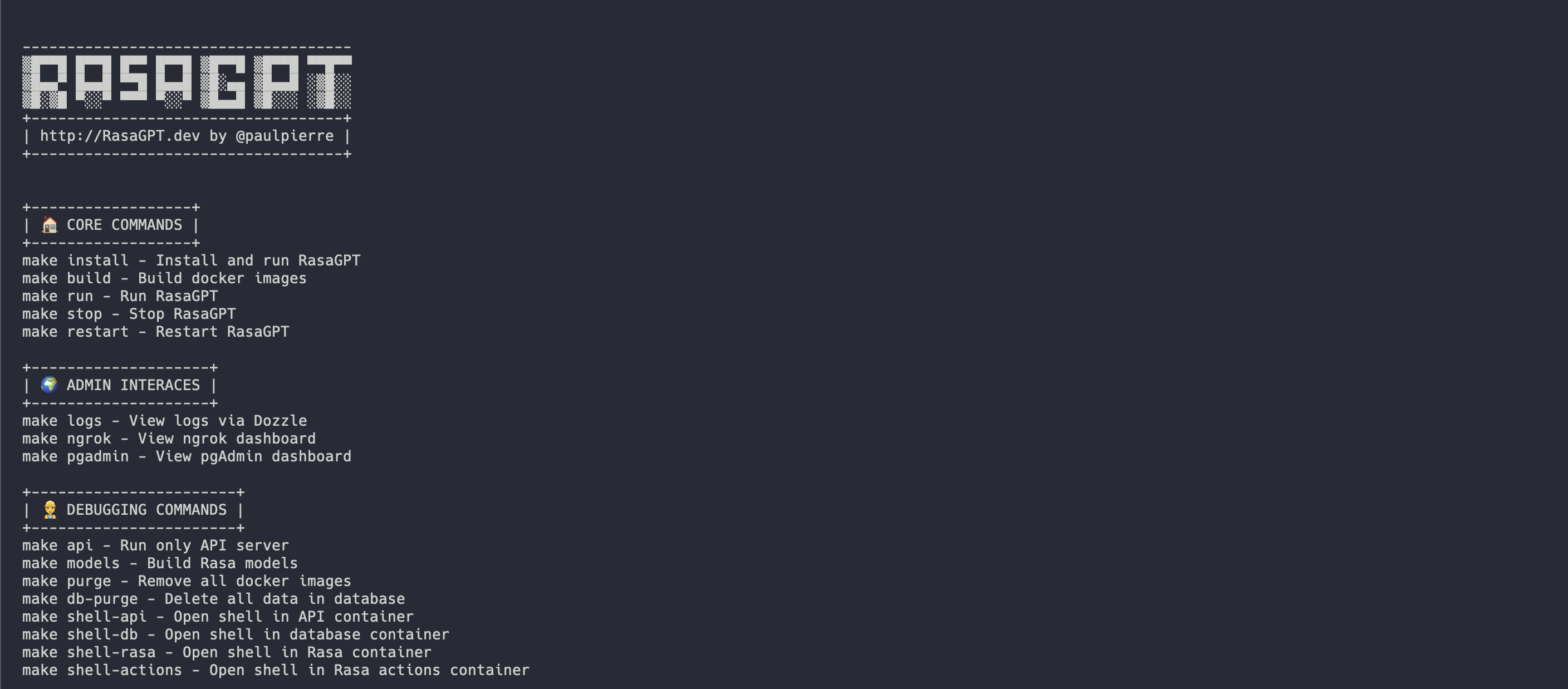
At any point feel free to just type in make and it will display the list of options, mostly useful for debugging:
Docker-compose
The easiest way to get started is using the Makefile in the root directory. It will install and run all the services for RasaGPT in the correct order.
make install

# This will automatically install and run RasaGPT
# After installation, to run again you can simply run

make run
Local Python Environment
This is useful if you wish to focus on developing on top of the API, a separate Makefile was made for this. This will create a local virtual environment for you.
# Assuming you are already in the RasaGPT directory
cd app/api
make install

# This will automatically install and run RasaGPT
# After installation, to run again you can simply run

make run
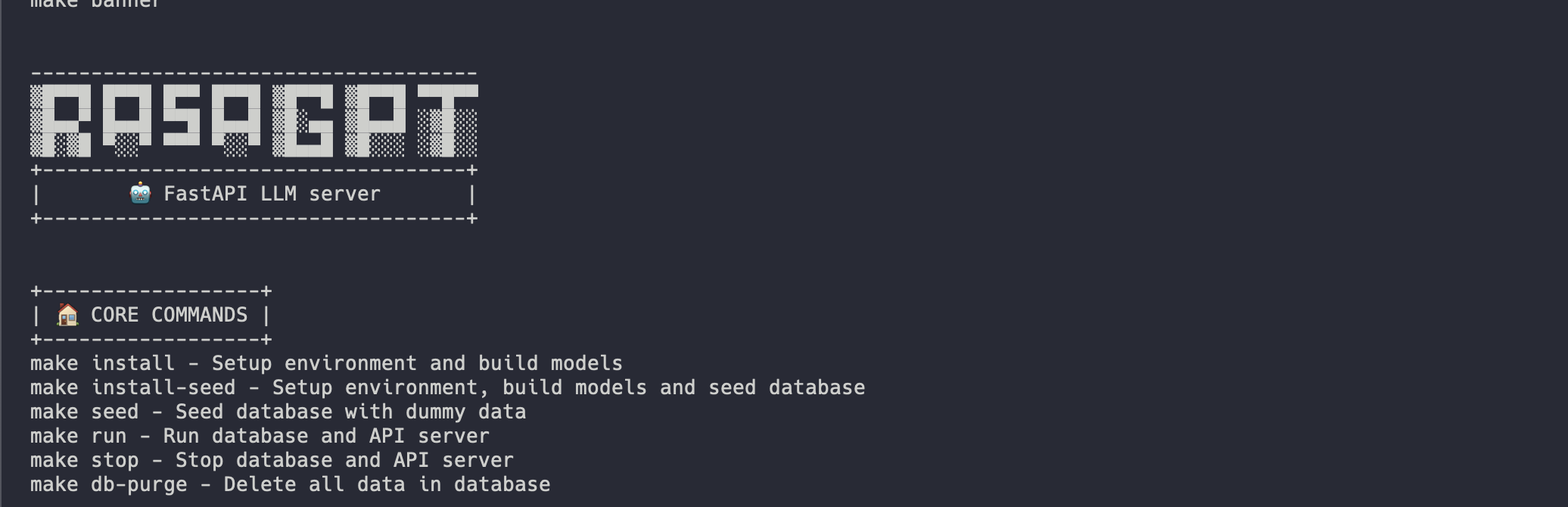
Similarly, enter make to see a full list of commands
Installation process
Installation should be automated should look like this:
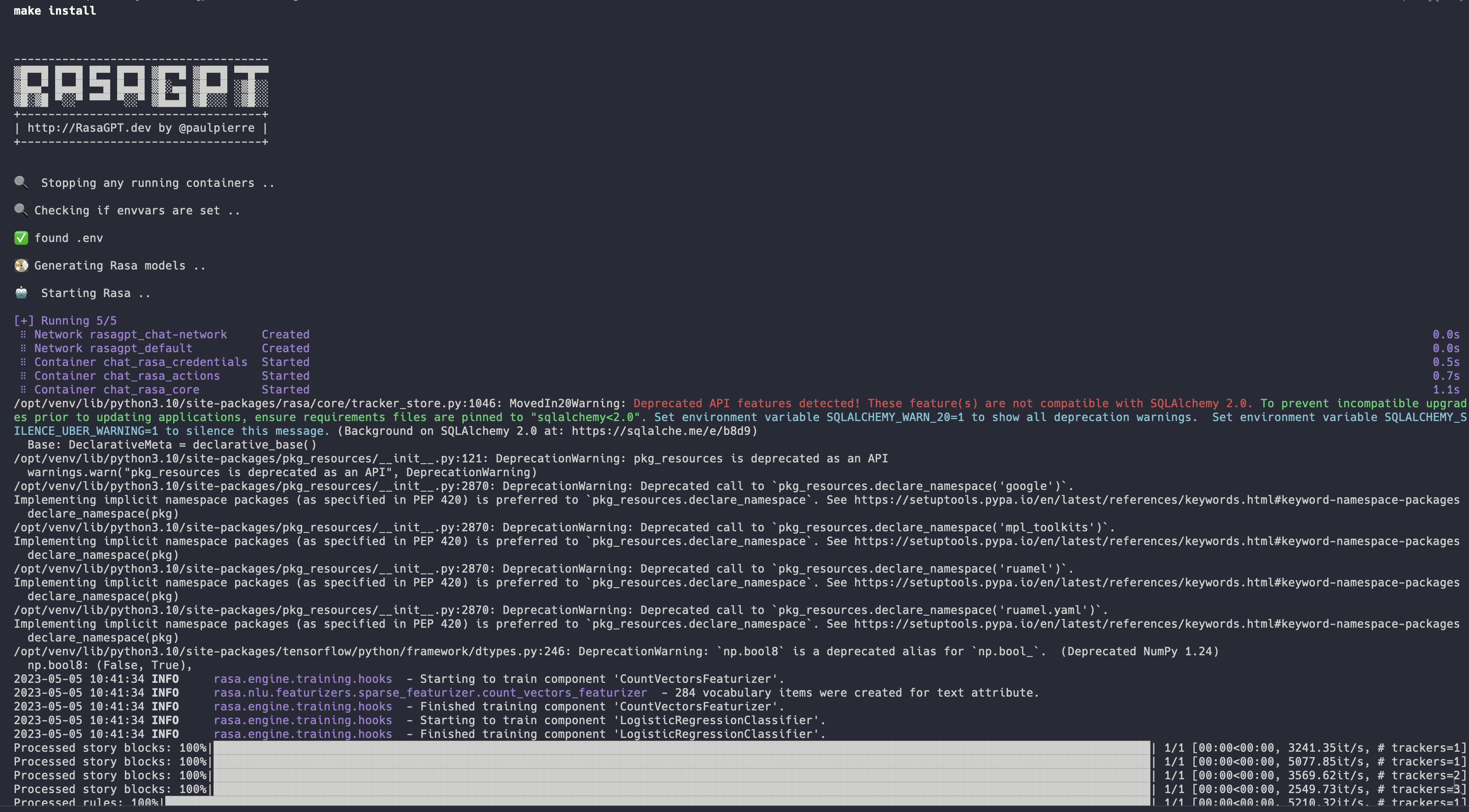
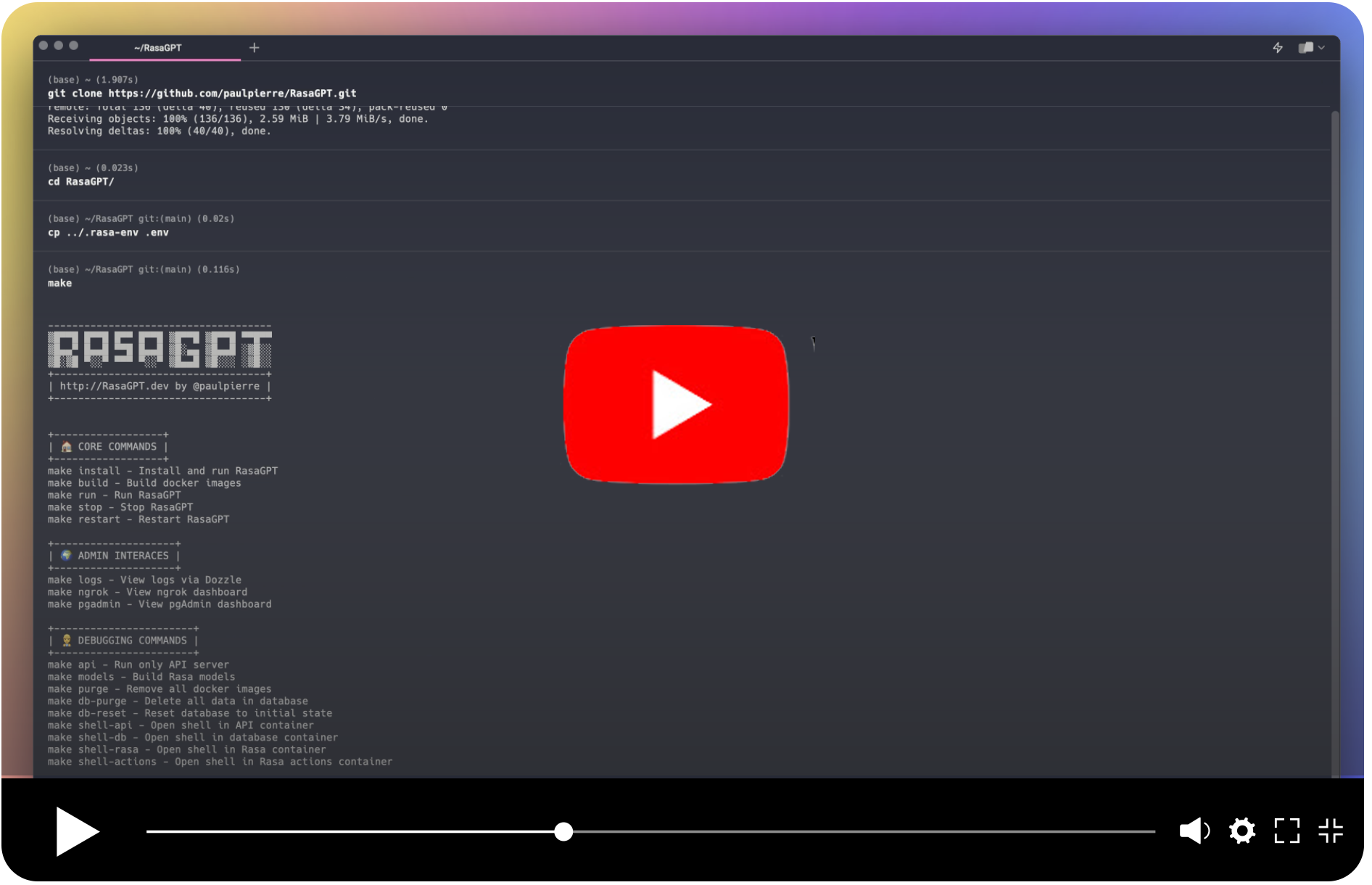
👉 Full installation log: https://app.warp.dev/block/vflua6Eue29EPk8EVvW8Kd
The installation process for Docker takes the following steps at a high level
- Check to make sure you have
.env available
- Database is initialized with
pgvector
- Database models create the database schema
- Trains the Rasa model so it is ready to run
- Sets up ngrok with Rasa so Telegram has a webhook back to your API server
- Sets up the Rasa actions server so Rasa can talk to the RasaGPT API
- Database is populated with dummy data via
seed.py
☑️ Next steps
💬 Start chatting
You can start chatting with your bot by visiting 👉 https://t.me/yourbotsname

👀 View logs
You can view all of the log by visiting 👉 https://localhost:9999/ which will displaying real-time logs of all the docker containers

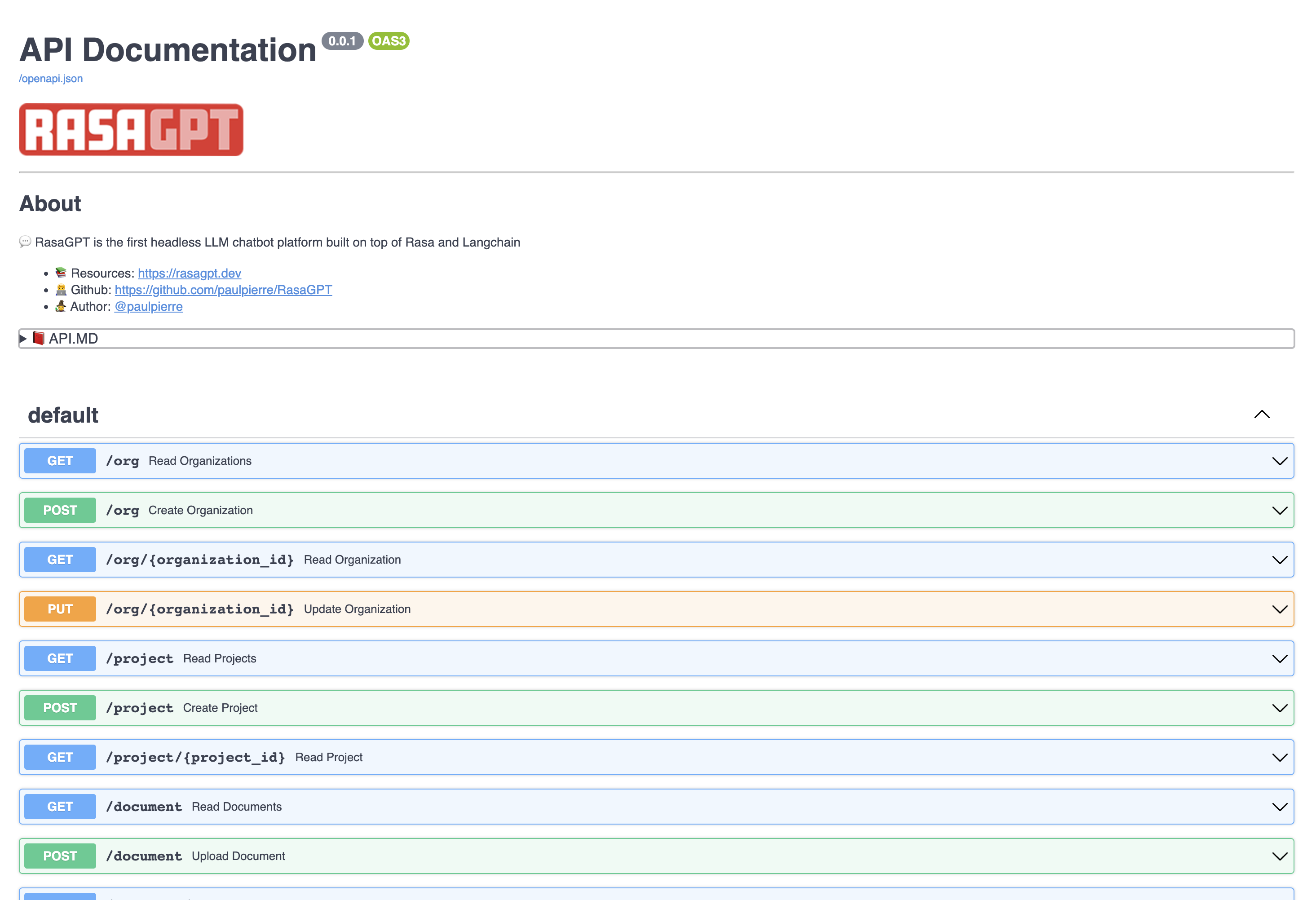
📖 API documentation
View the API endpoint docs by visiting 👉 https://localhost:8888/docs
In this page you can create and update entities, as well as upload documents to the knowledge base.
✏️ Examples
The bot is just a proof-of-concept and has not been optimized for retrieval. It currently uses 1000 character length chunking for indexing and basic euclidean distance for retrieval and quality is hit or miss.
You can view example hits and misses with the bot in the RESULTS.MD file. Overall I estimate index optimization and LLM configuration changes can increase output quality by more than 70%.
👉 Click to see the Q&A results of the demo data in RESULTS.MD
💻 API Architecture and Usage
The REST API is straight forward, please visit the documentation 👉 http://localhost:8888/docs
The entities below have basic CRUD operations and return JSON
Organization
This can be thought of as a company that is your client in a SaaS / multi-tenant world. By default a list of dummy organizations have been provided
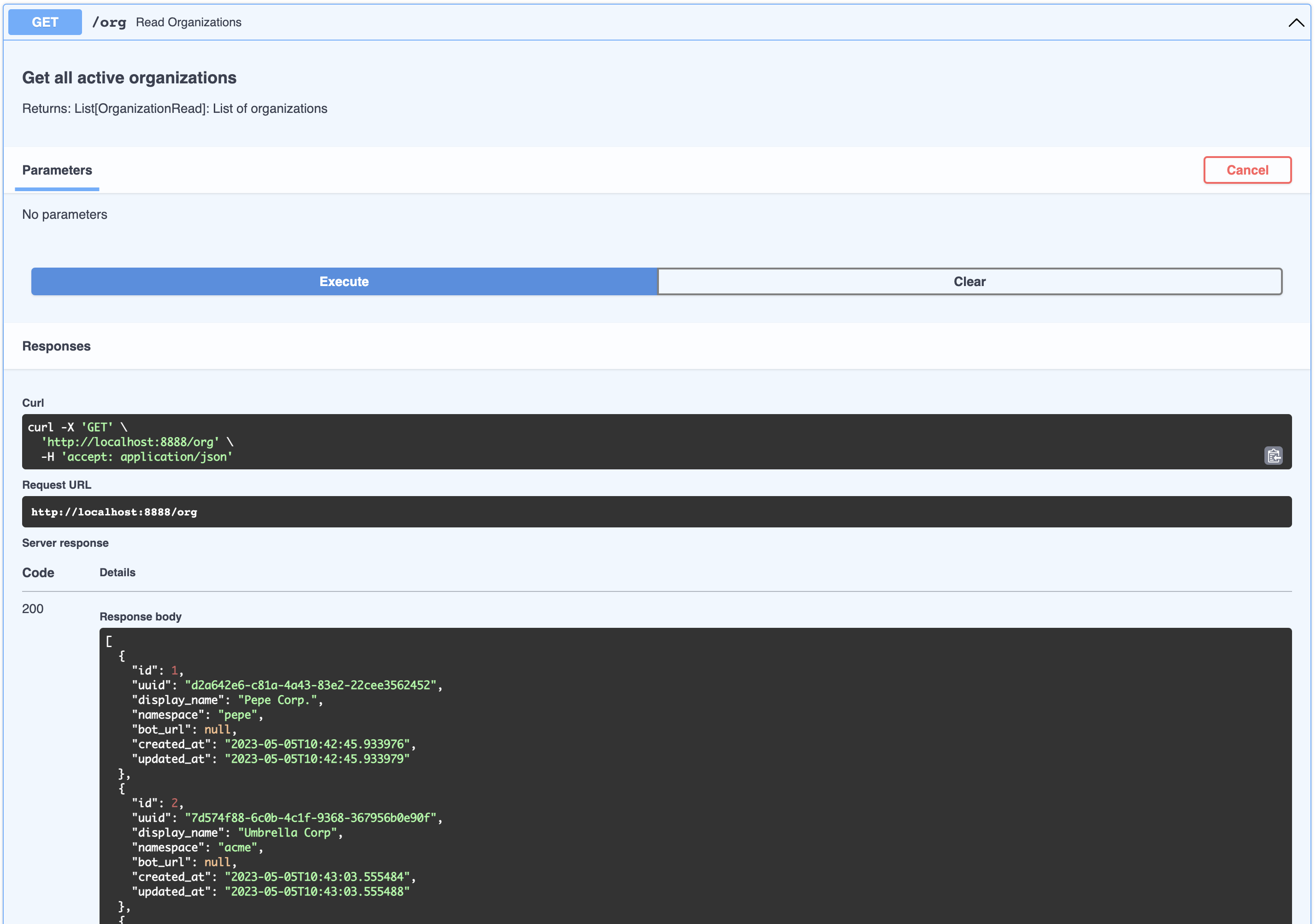
[
  {
    "id": 1,
    "uuid": "d2a642e6-c81a-4a43-83e2-22cee3562452",
    "display_name": "Pepe Corp.",
    "namespace": "pepe",
    "bot_url": null,
    "created_at": "2023-05-05T10:42:45.933976",
    "updated_at": "2023-05-05T10:42:45.933979"
  },
  {
    "id": 2,
    "uuid": "7d574f88-6c0b-4c1f-9368-367956b0e90f",
    "display_name": "Umbrella Corp",
    "namespace": "acme",
    "bot_url": null,
    "created_at": "2023-05-05T10:43:03.555484",
    "updated_at": "2023-05-05T10:43:03.555488"
  },
  {
    "id": 3,
    "uuid": "65105a15-2ef0-4898-ac7a-8eafee0b283d",
    "display_name": "Cyberdine Systems",
    "namespace": "cyberdine",
    "bot_url": null,
    "created_at": "2023-05-05T10:43:04.175424",
    "updated_at": "2023-05-05T10:43:04.175428"
  },
  {
    "id": 4,
    "uuid": "b7fb966d-7845-4581-a537-818da62645b5",
    "display_name": "Bluth Companies",
    "namespace": "bluth",
    "bot_url": null,
    "created_at": "2023-05-05T10:43:04.697801",
    "updated_at": "2023-05-05T10:43:04.697804"
  },
  {
    "id": 5,
    "uuid": "9283d017-b24b-4ecd-bf35-808b45e258cf",
    "display_name": "Evil Corp",
    "namespace": "evil",
    "bot_url": null,
    "created_at": "2023-05-05T10:43:05.102546",
    "updated_at": "2023-05-05T10:43:05.102549"
  }
]
Project
This can be thought of as a product that belongs to a company. You can view the list of projects that belong to an organizations like so:
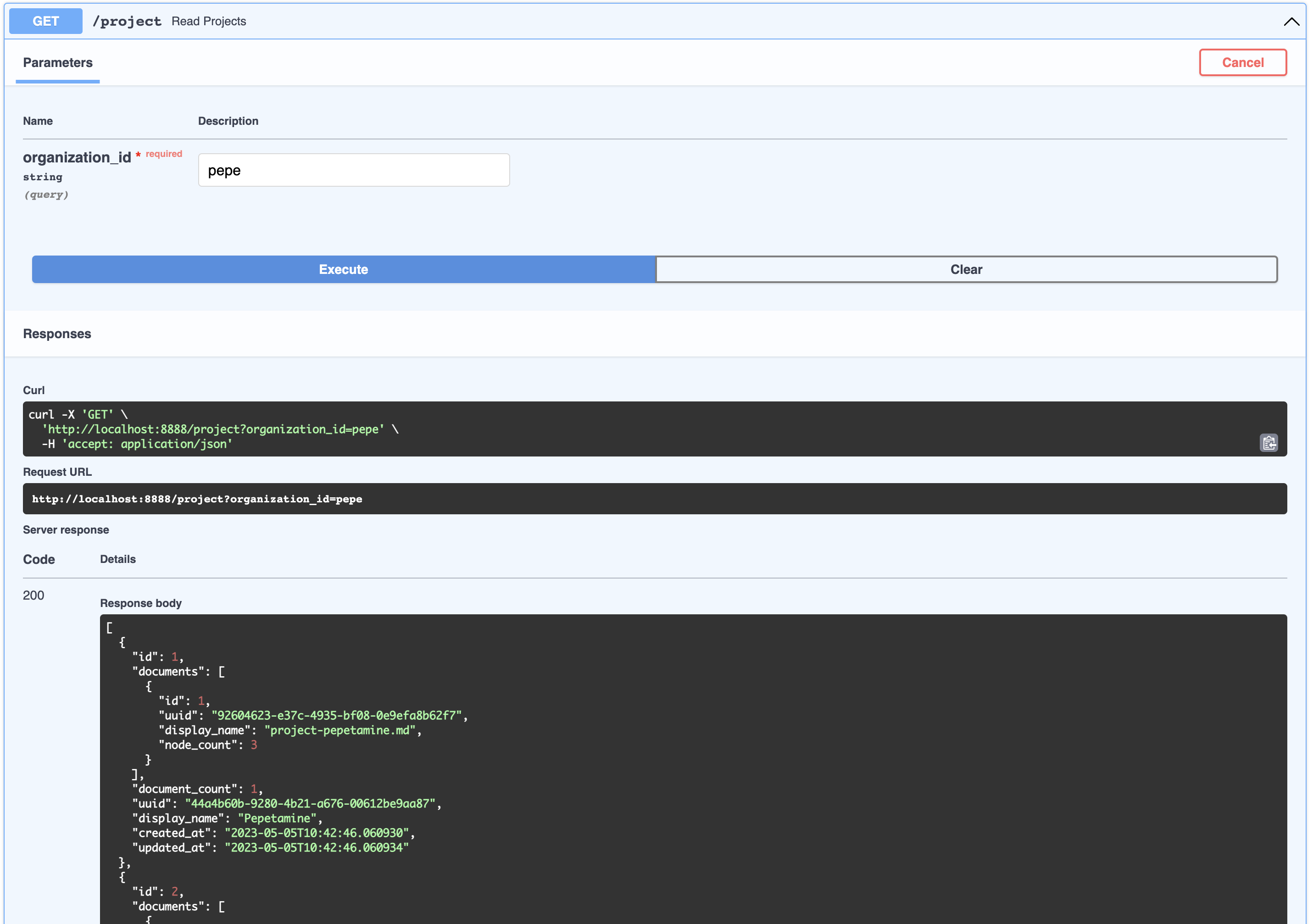
[
  {
    "id": 1,
    "documents": [
      {
        "id": 1,
        "uuid": "92604623-e37c-4935-bf08-0e9efa8b62f7",
        "display_name": "project-pepetamine.md",
        "node_count": 3
      }
    ],
    "document_count": 1,
    "uuid": "44a4b60b-9280-4b21-a676-00612be9aa87",
    "display_name": "Pepetamine",
    "created_at": "2023-05-05T10:42:46.060930",
    "updated_at": "2023-05-05T10:42:46.060934"
  },
  {
    "id": 2,
    "documents": [
      {
        "id": 2,
        "uuid": "b408595a-3426-4011-9b9b-8e260b244f74",
        "display_name": "project-frogonil.md",
        "node_count": 3
      }
    ],
    "document_count": 1,
    "uuid": "5ba6b812-de37-451d-83a3-8ccccadabd69",
    "display_name": "Frogonil",
    "created_at": "2023-05-05T10:42:48.043936",
    "updated_at": "2023-05-05T10:42:48.043940"
  },
  {
    "id": 3,
    "documents": [
      {
        "id": 3,
        "uuid": "b99d373a-3317-4699-a89e-90897ba00db6",
        "display_name": "project-kekzal.md",
        "node_count": 3
      }
    ],
    "document_count": 1,
    "uuid": "1be4360c-f06e-4494-bf20-e7c73a56f003",
    "display_name": "Kekzal",
    "created_at": "2023-05-05T10:42:49.092675",
    "updated_at": "2023-05-05T10:42:49.092678"
  },
  {
    "id": 4,
    "documents": [
      {
        "id": 4,
        "uuid": "94da307b-5993-4ddd-a852-3d8c12f95f3f",
        "display_name": "project-memetrex.md",
        "node_count": 3
      }
    ],
    "document_count": 1,
    "uuid": "1fd7e772-365c-451b-a7eb-4d529b0927f0",
    "display_name": "Memetrex",
    "created_at": "2023-05-05T10:42:50.184817",
    "updated_at": "2023-05-05T10:42:50.184821"
  },
  {
    "id": 5,
    "documents": [
      {
        "id": 5,
        "uuid": "6deff180-3e3e-4b09-ae5a-6502d031914a",
        "display_name": "project-pepetrak.md",
        "node_count": 4
      }
    ],
    "document_count": 1,
    "uuid": "a389eb58-b504-48b4-9bc3-d3c93d2fbeaa",
    "display_name": "PepeTrak",
    "created_at": "2023-05-05T10:42:51.293352",
    "updated_at": "2023-05-05T10:42:51.293355"
  },
  {
    "id": 6,
    "documents": [
      {
        "id": 6,
        "uuid": "2e3c2155-cafa-4c6b-b7cc-02bb5156715b",
        "display_name": "project-memegen.md",
        "node_count": 5
      }
    ],
    "document_count": 1,
    "uuid": "cec4154f-5d73-41a5-a764-eaf62fc3db2c",
    "display_name": "MemeGen",
    "created_at": "2023-05-05T10:42:52.562037",
    "updated_at": "2023-05-05T10:42:52.562040"
  },
  {
    "id": 7,
    "documents": [
      {
        "id": 7,
        "uuid": "baabcb6f-e14c-4d59-a019-ce29973b9f5c",
        "display_name": "project-neurokek.md",
        "node_count": 5
      }
    ],
    "document_count": 1,
    "uuid": "4a1a0542-e314-4ae7-9961-720c2d092f04",
    "display_name": "Neuro-kek",
    "created_at": "2023-05-05T10:42:53.689537",
    "updated_at": "2023-05-05T10:42:53.689539"
  },
  {
    "id": 8,
    "documents": [
      {
        "id": 8,
        "uuid": "5be007ec





 labring/FastGPT
 arc53/DocsGPT
 langbot-app/LangBot
 chatchat-space/Langchain-Chatchat